The account management page
Published: Oct 17, 2022
Updated: Mar 25, 2025
Learn how to manage your self-directed and Questwealth accounts.
The account management tab allows you to easily find and upload forms, add beneficiaries, and more with just a few clicks.
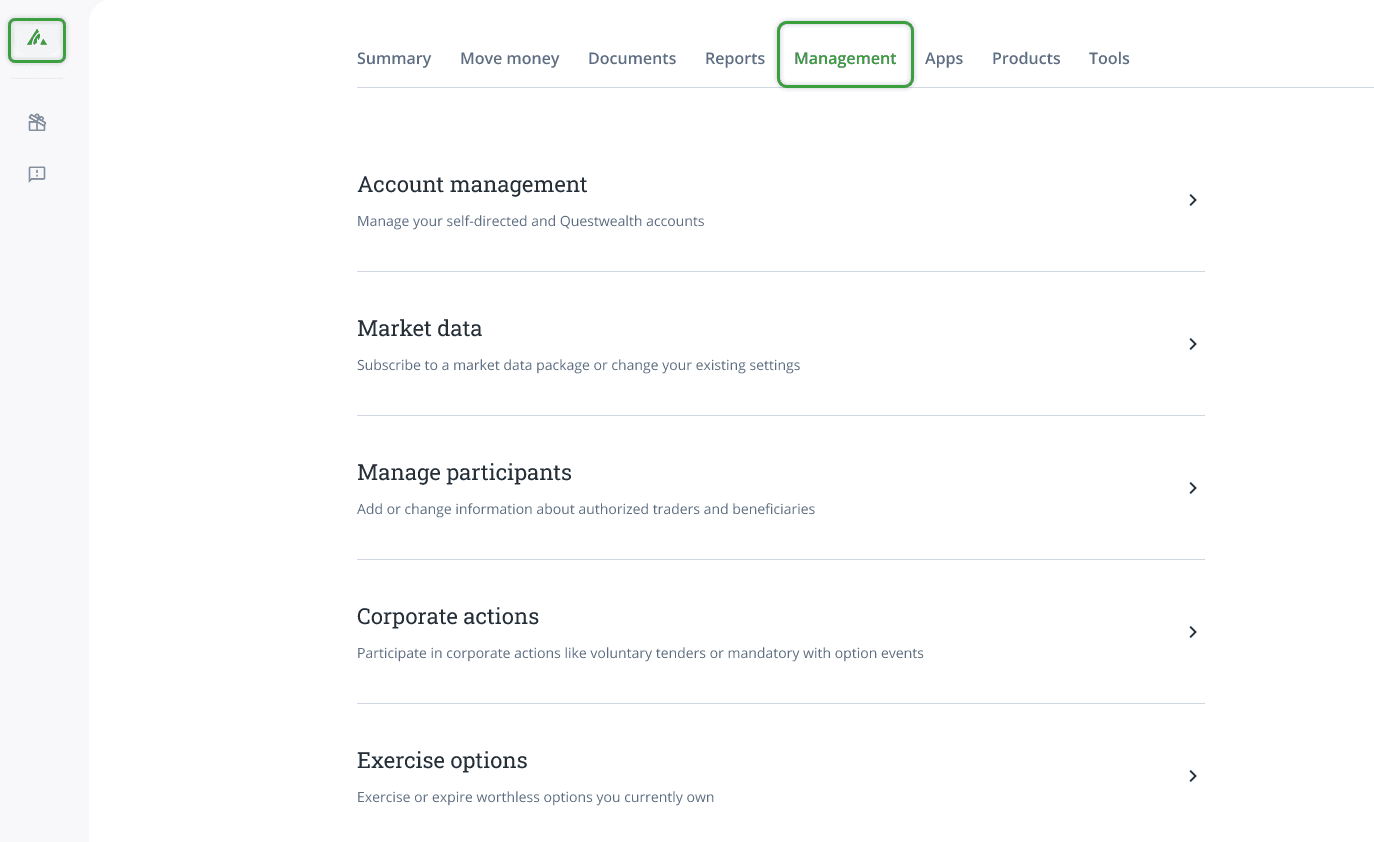
Account Management
View and make changes to individual accounts, including adding or removing an authorized trader, billing account, Option level, Margin Power, and Currency settlement.
Option level: Questrade categorizes options trading into Levels 1-4 based on risk and equity requirements. Registered accounts are limited to Level 2, while Levels 3 and 4 require a Margin account. Learn more about Option levels.
Margin Power: With Margin Power, you can use the assets in your Tax-Free Savings Account (TFSA) to open new positions in your Margin account. Once activated, your trading platform will display the buying power of your Margin account, along with the added buying power that comes from your TFSA.
Currency Settlement: Trade in both U.S. and Canadian markets without currency conversion in your registered Questrade accounts. Choose your currency preference to manage conversions and save money.
At the bottom of this page, you will also find your account paperwork and signed agreements to download anytime.
Market Data
Learn more about additional market data packages available and choose to add or remove a monthly subscription.
Manage Participants
Add or change information about authorized traders and beneficiaries.
Authorized traders are trusted individuals designated by account holders, such as a spouse, family member, or a close friend, to manage their account.
Adding beneficiaries or a successor annuitant to registered accounts is easy, cost-free, and helps ensure your assets are transferred to your loved ones.