Photo ID
Published: Oct 17, 2022
Updated: Apr 08, 2026
Secure and streamlined: How to upload your photo ID for your Questrade account

At Questrade, ensuring your identity is verified securely and efficiently is our priority.
As part of your new account application, you'll need to upload a valid, government-issued photo ID. If you're adding a second account and your original ID on file has expired, we may ask you to upload a new copy. We also require valid ID for any joint account holders or authorized traders.
We may require your photo ID to comply with CIRO (opens in a new tab) and FINTRAC's (opens in a new tab) regulatory requirements and to ensure proper tax withholding rates. Learn more from this CIRO brochure (opens in a new tab) or on the government website (opens in a new tab).
ID Requirements
Your government-issued photo ID must be from a federal or provincial/territorial government. We also accept foreign and Canadian passports as another form of acceptable ID.
Note: Foreign driver's licenses or other non-Canadian IDs will only be accepted if reviewed and attested by an Authorized Agent in the country where the ID was issued.
For non-Canadian residents with a foreign permanent address, additional requirements may apply. Please explore the section at the bottom of this article for more information.
Your photo ID must include:
Full Name: Must exactly match your Questrade profile.
Please use your full legal name as it appears on your ID.
Date of Birth: Must match your Questrade profile.
Photo
Expiry Date: Must not be expired.
Unique Identifier Number: Passport number or Driver's license number.
Issuing Authority: e.g., Province of Ontario.
Acceptable and Unacceptable Photo IDs
Please explore the lists below for common examples of acceptable and unacceptable IDs.
Acceptable IDs:
Canadian driver’s licenses
AB Operator licenses included
Canadian passports with visible bearer signature on page 2
Foreign passports with bearer signature (if included)
Canadian PR cards
Provincial ID cards
Certificate of Indian status cards (front and back)
Unacceptable IDs:
Foreign driver’s licenses
Canadian passports without bearer signature or missing page 2
Foreign ID or citizenship cards
Provincial health cards (except Quebec)
Canadian citizenship cards issued as a minor
Student ID cards
Workplace ID cards
Note: If you don’t have an ID from the acceptable list, alternative ID options may be available (i.e. Québec/BC Health card, Canadian Armed Forces/National Defence ID, Nexus Card).
Please contact our New Accounts team for more information and assistance with uploading your ID to your account via chat, at 1.888.783.7866, or via email at n[email protected].
How to upload a Photo ID
Follow these easy steps to upload your ID:
Log in to your Questrade account
You can do this on desktop or through our QuestMobile app on your smartphone.
We recommend using the QuestMobile app for a seamless experience since you’ll be using your camera to capture your ID during the upload.
If you’re uploading an ID as part of a new account application, please select the application in progress, then select Upload next to your ID requirements.
On desktop, you’ll be prompted to scan a QR code with your mobile device to upload your ID.
Select the type of Photo ID you’d like to submit:
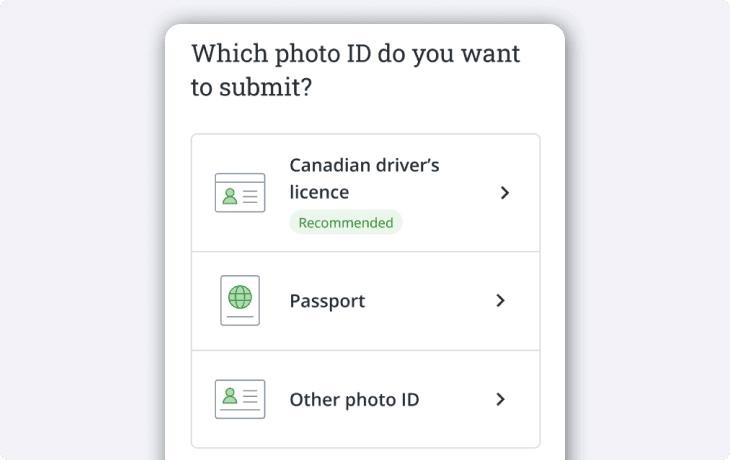
Make sure you have your ID, and get ready to take a picture.
If you’re using your driver’s license, we’ll need images of the front and back.
For passports, we only require one image.
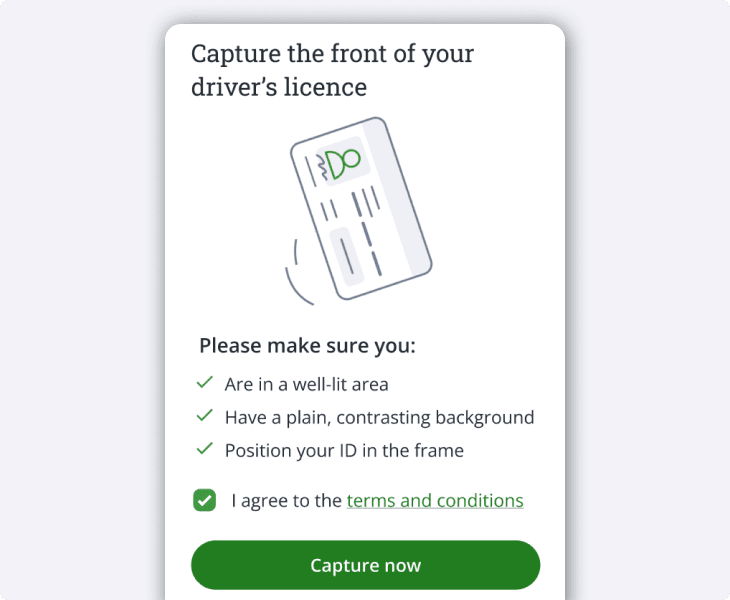
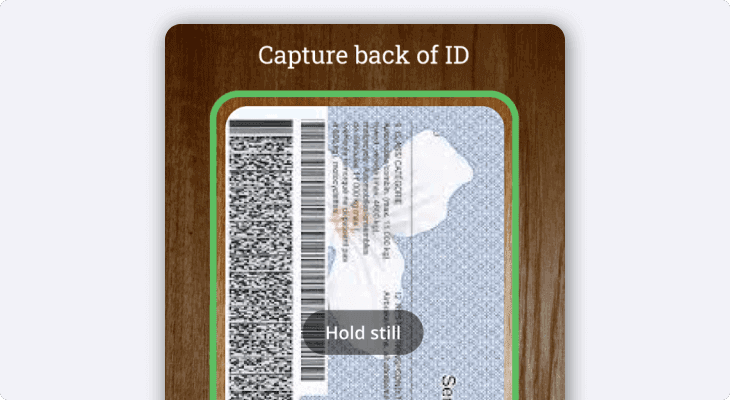
Next, get ready to take a picture of the back (if you’re using your driver’s license).
Tip: You can use either portrait or landscape mode on your phone, whatever’s easier!
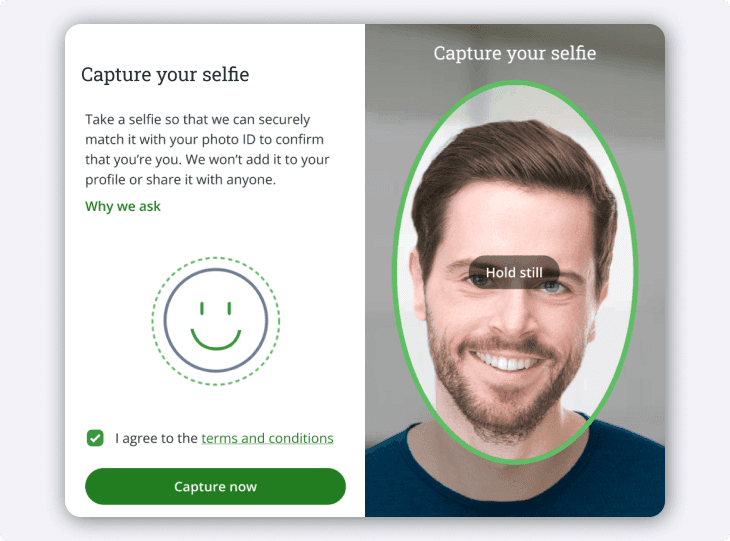
Get ready to take a selfie (picture of yourself).
We ask so that we can match the picture of you with the picture in your ID.
We won’t add this image to your profile, or share it with anyone.
If you live in Québec, you can skip to step 7.
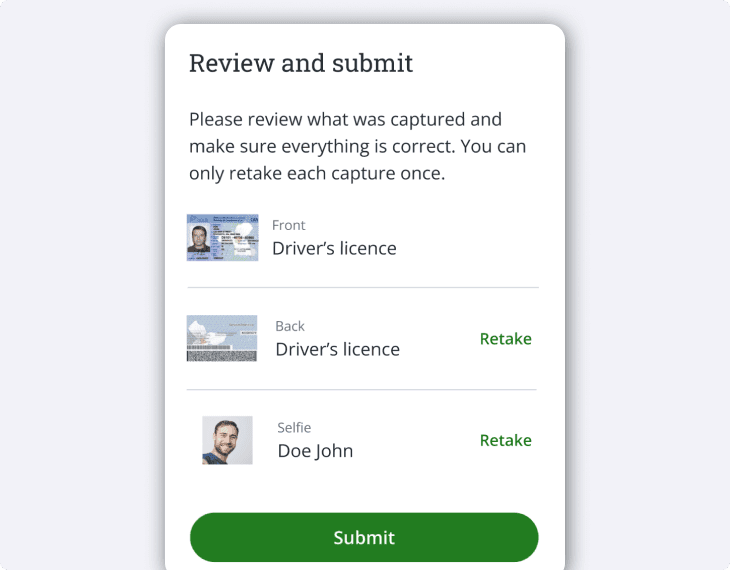
Review your documents, and select Submit when you’re ready.
Tip: Not happy with how a picture turned out? Select the Retake button to go back and take a new image.
Frequently asked questions
Why do I have to upload an ID?
This is a regulatory requirement for Questrade. As a member of the Canadian Investment Regulatory Organization (opens in a new tab) (CIRO), we have a legal obligation to “know our client (opens in a new tab)”. This includes asking questions during your application as well as verifying your ID and other documents.
Additionally, as a financial institution in Canada, we follow the rules and regulations under the “Proceeds of Crime (Money Laundering) and Terrorist Financing Act (opens in a new tab)” (PCMLTFA), which includes verifying your identity with a government-issued photo ID.
Protecting the personal information entrusted in our care is important to us. We respect the privacy of our customers and are committed to safeguarding all personal information or data entrusted to us. To read more, explore our Privacy Policy here.
Do I have to upload an ID for an authorized trader or beneficiary?
Authorized Trader: Yes, because they have full investment authority on your accounts.
Beneficiary: Generally no, except for certain RESP and informal/formal Trust account beneficiaries.
I’ve already uploaded an ID for one account, do I need to upload a second?
Same time setup: No, our system will automatically accept your uploaded ID for all new account applications in progress at the same time.
Adding a second/third account: Yes, if your original ID on file has expired or it’s been more than 6 months since your original application.
Non-Residents and ID Requirements
For non-residents of Canada with a foreign permanent address, additional requirements include providing a valid ID and a financial document from a Canadian financial institution if available.
The financial document must be:
From a Canadian financial institution
Dated within the last 3 months
Match the customer name on your Questrade account exactly
Cannot be an investment account
Have a visible account number or other unique identifier
Acceptable examples:
Chequing/Savings account with activity in the last 3 months
Credit card statements with activity in the last 3 months
Loan or mortgage statement with activity in the last 3 months
Important Note: If you cannot provide a Canadian financial document, you will need your passport attested by one of our agency lawyers around the world.
Please contact our New Accounts team via email at [email protected], chat, or at 1.888.783.7866 for further assistance. We will find the closest geographic office(s) for you, and help get you in touch with the appropriate agent(s).
Note: The agents/lawyers who perform ID attestations may charge a fee for this service. This fee is independent of Questrade, non-refundable and paid directly to the agent.
U.S. residents, in most cases, are unable to open Questrade accounts. Special exemptions may apply for Canadian Expats with active RRSP accounts.
International residents, in most cases, are only able to open Margin accounts. Special exemptions may apply for Canadian Expats, or Active Military personnel with active RRSP accounts.
Please contact our New Accounts team for more information at [email protected], chat, or at 1.888.783.7866 if you’re a U.S. or international resident.
Keep more of Your Money
Ready to invest? Open a Questrade account and experience seamless, secure investing today.