Transaction history
Published: Oct 17, 2022
Updated: Oct 17, 2022
Learn all about your transaction history in the QuestMobile app.
The Transaction history page shows a detailed breakdown of the activities in your account. This includes trades, deposits, withdrawals, or interest/dividends.
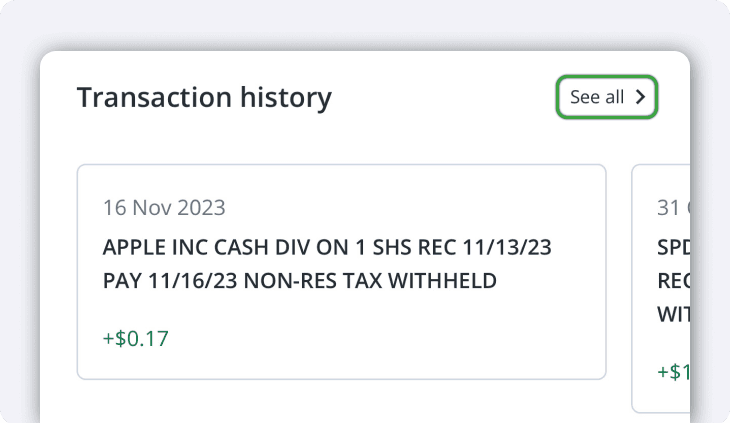
You can see your most recent transactions shown below your positions on the homepage. Swipe to the left to scroll through your recent transactions, or tap See all to view them on a separate page with a more detailed view.
You can also tap on any of the transactions to view more details such as the Action, Quantity, commissions, etc.
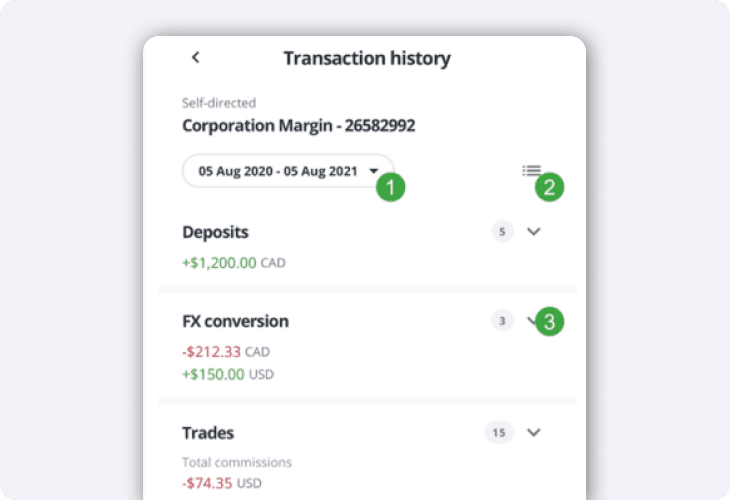
On the Transaction history page, you’ll see your transactions grouped together by type, and you can switch your view to a chronological order any time by tapping the menu button at the top right.
Tap the date range bubble to choose from a list of ranges, or set a custom date range.
Tap the menu button on the left to change your view from grouped to chronological.
Tap the expand button beside the type of transaction to view them in a list.
Once you expand the list, tap any of the transactions for more details