Events Calendar
Published: Oct 17, 2022
Updated: Oct 20, 2022
Stay up-to-date on important dates for investments (like earnings reports and dividend dates) with our Events calendar.
The Events calendar is a tool designed to help you make more informed trading decisions by providing you with important insights on upcoming (and historical) market events and headlines.
Questrade offers an Events calendar both through our Edge web, and Edge desktop trading platforms.
Use the Events calendar to view upcoming and historical events such as:
Earnings and dividends
Stock splits and consolidations
Analyst ratings, guidance, and conference calls
Economic updates (CPI, Treasury rates..)
IPOs, retail sales and secondary offerings
If you currently hold positions in securities undergoing an event, you will often see a small icon next to your holdings on the positions page. If you’ve allowed notifications from your web-browser, or by default in Edge desktop, you will also see a notification pop-up about events for the positions you hold approximately 3 days before the event.
To access the Events calendar from Questrade Edge Web please:
Log in, (opens in a new tab) and go to Questrade Edge Web platform.
Click “Research” from the left navigation menu, then click the “Calendar” tab.
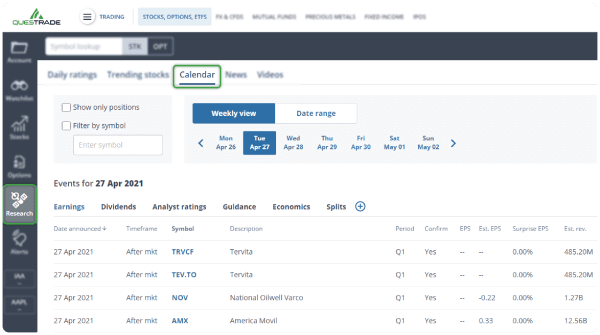
To access the Events calendar from Questrade Edge Desktop please:
Open Edge desktop on your computer and log in.
Click the Event calendar widget from the top navigation menu.
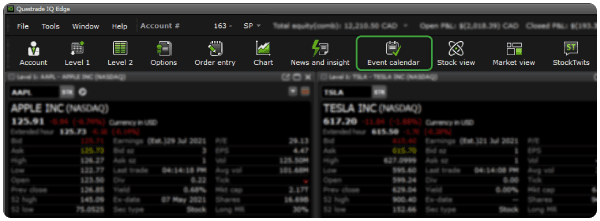
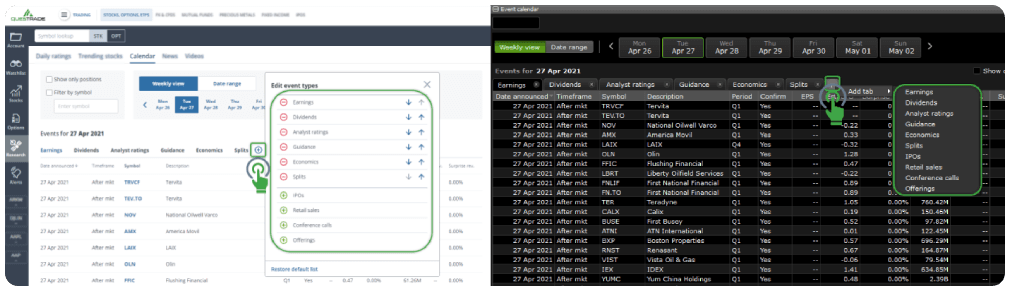
You can also customize your view and add more information if needed by clicking the small + icon next to the various tabs of information available.
Questrade Edge Web
Questrade Edge Desktop
In addition to the events calendar, Questrade also offers a wide range of other research tools including:
Daily analyst ratings
Trending stocks
Analyst ratings for each security
Smart Score
News sentiment analysis
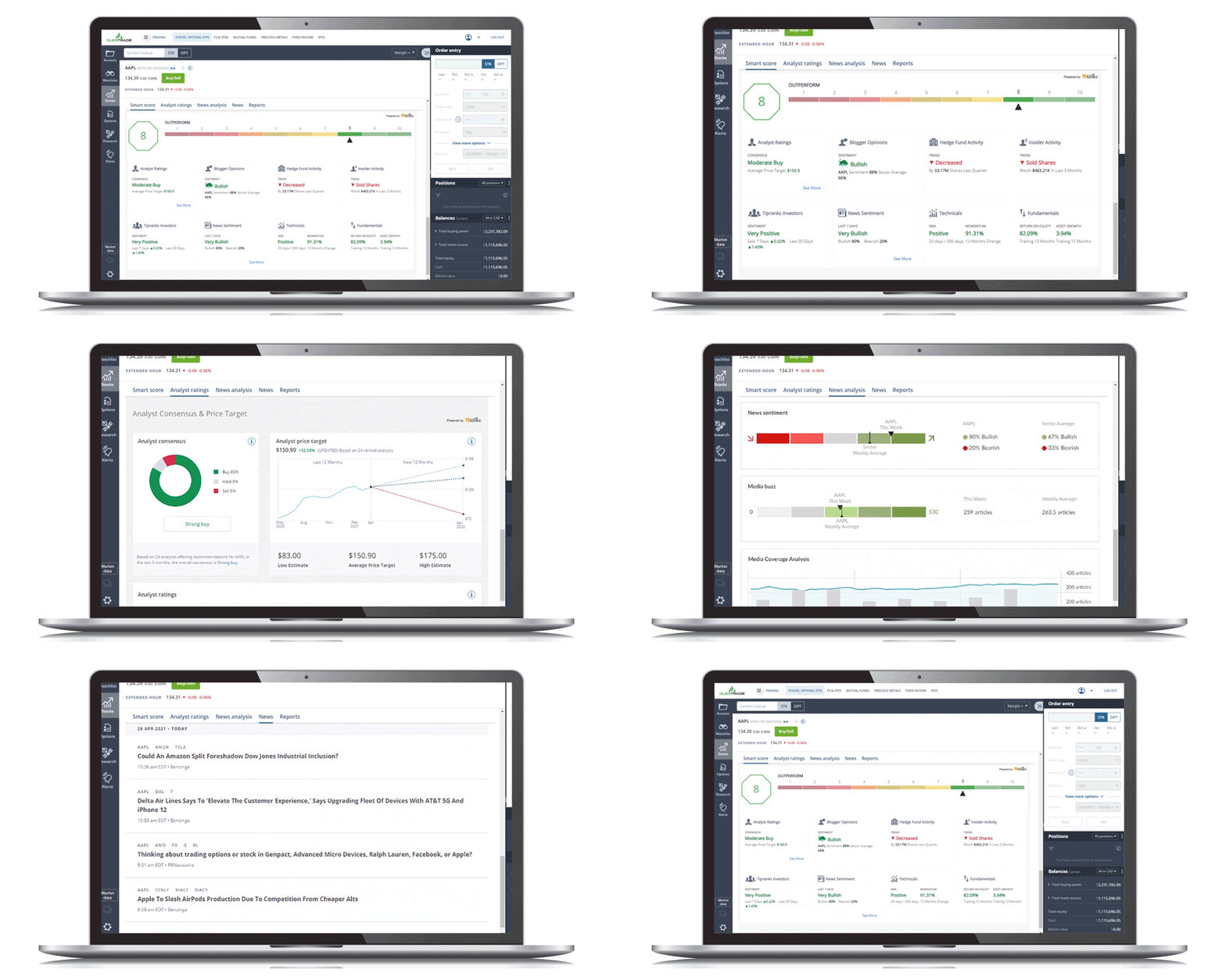
Explore these great research tools in this article here.